Thursday, September 9, 2010

Article | How To Set Password for Blogger Post

How to make blogger post private? How to encrypt blogger post? How to create blog post with password? First, please proceed to http://www.vincentcheung.ca/jsencryption/instructions.html. Go to Dashboard > Design > Edit HTML. Then add the JavaScript decryption code after the <head> tag in the HTML code of your blog. Copy and paste the following code:
Then proceed to http://www.vincentcheung.ca/jsencryption/. You'll see this page.
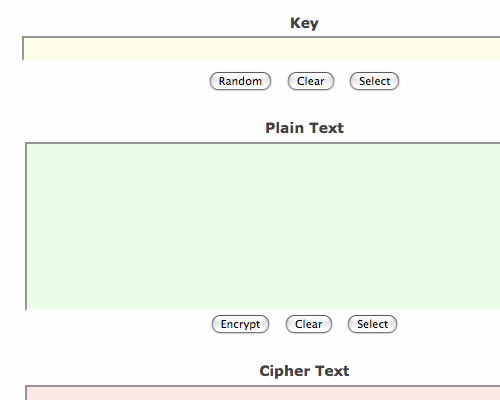
form empty
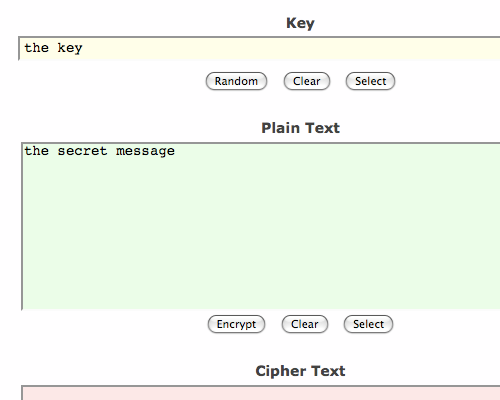
Then type for secret key at the "Key" area and the secret message at the "Plain Text" area.
filled form
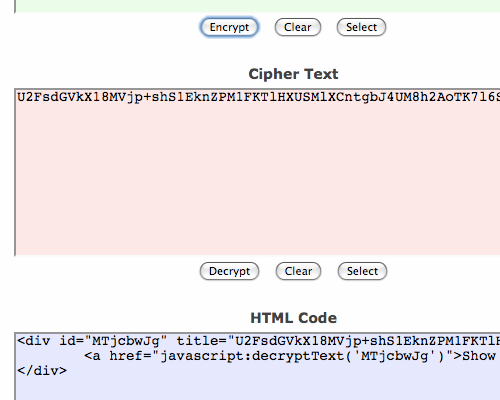
After doing so, hit the Encrypt button under the "Plain Text" area. Then scroll down a little and you'll see the "HTML Code" area. Highlight, copy and paste the HTML code into your POST EDITOR.
html code
And that's it! Here's the result of the example shown. The secret key is "the key". Go and click on it.
Loading...

Comments :

1
 
Anonymous said...

Really helped me

January 17, 2011 at 4:55 AM  

Subscribe

Enter your email address:

Followers

Chicklets

My Zimbio