Sunday, September 12, 2010

Article | How To Upload Avatar Display Image

How to show display picture when commenting? How to upload display picture on Gravatar? How to get a display image when commenting on Wordpress blogs? How to have avatar display for commenting accounts? To do so, you have to go to Gravatar at http://en.gravatar.com/.

gravatar logo
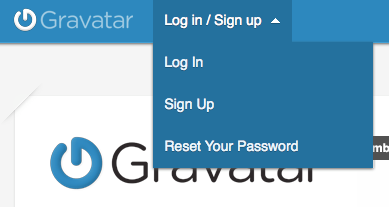
One you're at the page, click "Log in/Sign up".
gravatar log in sign up
If you don't have a Gravatar account, please register first with the proper email that you're going to use while commenting. But if you already own a Wordpress.com account, do sign in with the email you used for your Wordpress.com account. (Not applicable for self-hosted Wordpress from Wordpress.org)
gravatar sign in
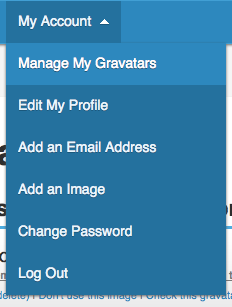
After registering (if necessary) and logging in, hover your mouse at the "My Account" and a list will appear. Pick "Manage My Gravatars".
gravatar account
From there onwards, just upload your preferred display avatar and you're good to go!
Loading...

Comments :

0 comments to “ How To Upload Avatar Display Image ”

Subscribe

Enter your email address:

Followers

Chicklets

My Zimbio